AI SearchGuide
llms.txt vs robots.txt: What Each File Does for AI
robots.txt decides which AI crawlers may fetch your pages. llms.txt can't block or allow anything; it's a short reading list that few AI tools are known to use. Here's how the two compare, and the robots.txt lines that actually control AI bots.

By Akif Qureshi
Published 7 min read
On this page
The short answer to llms.txt vs robots.txt: robots.txt tells crawlers which URLs they may fetch, while llms.txt is an optional reading list that points AI tools to your best pages, and it can't allow or block anything.
If you want to control whether ChatGPT, Claude, Gemini or Perplexity can use your site, robots.txt is the file that matters. llms.txt is a small extra that may help some AI tools, mostly coding assistants reading documentation. This guide compares the two and shows the robots.txt lines for each documented AI crawler. If you want to build an llms.txt file, our guide on how to create an llms.txt file covers that step by step.
Key takeaways
llms.txt vs robots.txt at a glance
| robots.txt | llms.txt | |
|---|---|---|
| Job | Crawl rules: which bots may fetch which URLs | A curated guide: what the site is and which pages to read first |
| Format | Plain text: User-agent, Allow, Disallow and Sitemap lines | Markdown: an H1 title, an optional summary, then lists of links with notes |
| Status | Internet standard, RFC 9309 (September 2022); in use since 1994 | A proposal at llmstxt.org (September 2024, version 2 in August 2026) |
| Can it block a bot? | Yes, for bots that follow it | No |
| Who reads it | Search engines and every documented AI crawler | Some coding assistants and AI agents; no major AI company says its crawlers use it |
| Effect on Google Search | Controls what Googlebot crawls | None: Google says Search ignores it |
| If the file is missing | Crawlers assume everything is allowed | Nothing changes |
| Location | /robots.txt at the root of each host | /llms.txt at the root (the proposal also allows subfolders) |
The llmstxt.org proposal itself describes the relationship: llms.txt "can complement robots.txt by providing context for allowed content." In other words, robots.txt decides access, and llms.txt only adds context for pages a bot may already fetch.
Controlling AI crawlers with robots.txt
Each AI company documents the user agents it uses, and most split them by job. This is the part of the comparison that has a real effect on your traffic.
| Company | Search and answers | Training | Fetches a user asked for |
|---|---|---|---|
| OpenAI | OAI-SearchBot | GPTBot | ChatGPT-User (robots.txt "may not apply") |
| Anthropic | Claude-SearchBot | ClaudeBot | Claude-User (follows robots.txt) |
Googlebot (Search, AI Overviews, AI Mode) | Google-Extended token (Gemini) | None listed | |
| Perplexity | PerplexityBot (not used for training) | None listed | Perplexity-User (generally ignores robots.txt) |
| Apple | Applebot | Applebot-Extended token | None listed |
| Meta | None listed | Meta-ExternalAgent | Meta-ExternalFetcher (may bypass robots.txt) |
Some things the table can't show:
- Google-Extended and Applebot-Extended aren't crawlers. They're tokens that control how content the main bot already fetched may be used. Google says Google-Extended "does not impact a site's inclusion in Google Search," and Apple says Applebot-Extended rules "are not considered in ranking for Search."
- Blocking a search bot has a cost. OpenAI says sites that opt out of OAI-SearchBot "will not be shown in ChatGPT search answers." Anthropic says blocking Claude-SearchBot may reduce your visibility in Claude's search results.
- Changes aren't instant. OpenAI says it takes about 24 hours for its systems to adjust after a robots.txt change, and Meta says its crawlers may cache the file for up to 24 hours.
Example: block training, stay in AI search
This is the most common setup for publishers and businesses that want to appear in AI answers but not in training data:
User-agent: GPTBot
User-agent: ClaudeBot
User-agent: Google-Extended
User-agent: Applebot-Extended
User-agent: Meta-ExternalAgent
Disallow: /

User-agent: *
Allow: /

Sitemap: https://example.com/sitemap.xml
OAI-SearchBot, Claude-SearchBot, PerplexityBot, Googlebot and Bingbot aren't named, so they fall under the * group and may crawl everything.
Example: keep one folder away from AI bots
A Shopify store that doesn't want AI tools reading its wholesale price lists can block just that path for the AI crawlers while leaving Google alone:
User-agent: GPTBot
User-agent: OAI-SearchBot
User-agent: ClaudeBot
User-agent: Claude-SearchBot
User-agent: PerplexityBot
Disallow: /wholesale/
If the pages are truly private, put them behind a login. robots.txt is a public request, not a lock, and it can't stop a bot that ignores it. For blocking every crawler at once, see our guide to robots.txt disallow all.
What llms.txt adds
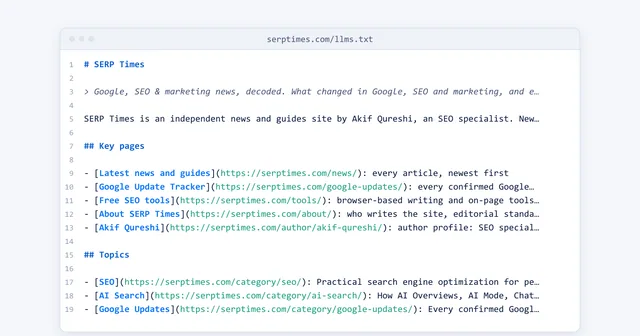
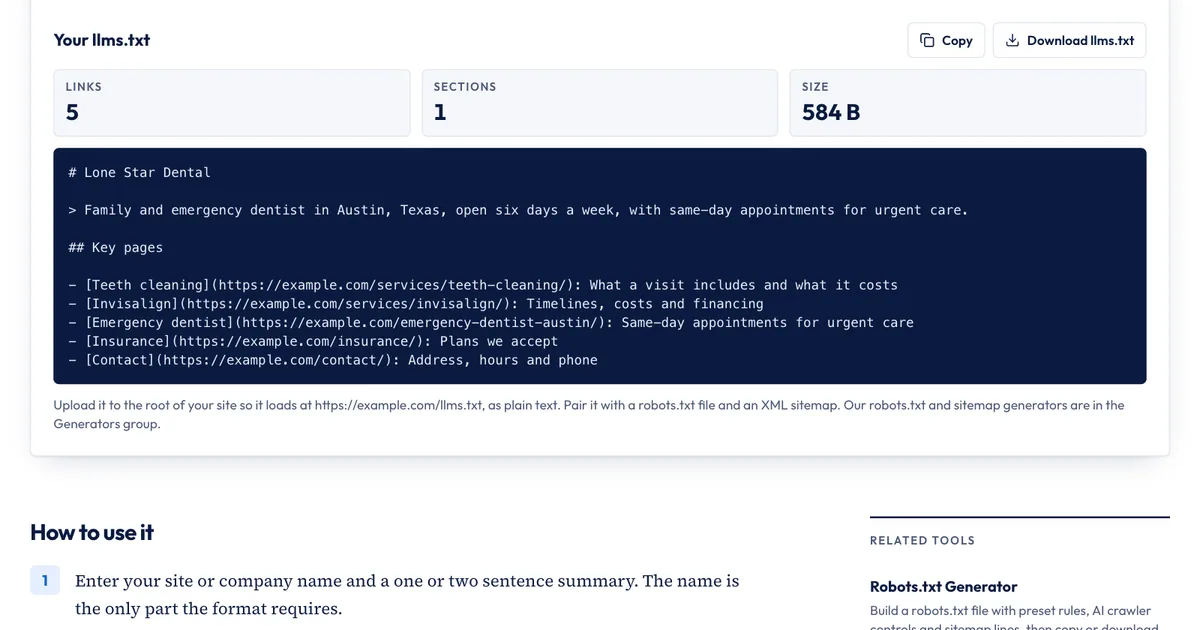
An llms.txt file is a Markdown page at /llms.txt. The only required part is an H1 with the site's name; the rest is a short summary and sections of links, each with a note on what the page covers. Jeremy Howard of Answer.AI proposed it in September 2024, and the proposal says it's aimed mainly at "inference," meaning the moment an AI tool is helping a user, rather than training.
Here is the honest state of the evidence, as of November 2026:
- Google says you don't need "AI text files" to appear in Search and that Search ignores them.
- OpenAI, Anthropic, Perplexity, Apple and Meta document their crawlers in detail, and none says those crawlers read other sites' llms.txt files.
- Server log studies have found that most llms.txt files get few or no requests. Our llms.txt guide summarizes the Ahrefs and SE Ranking data.
So llms.txt is worth 20 minutes if you publish documentation, an API or a large help center, because coding assistants and agents do fetch these files. For a dentist in Austin or a local HVAC company, it's optional. Getting robots.txt right matters far more.
How the two files interact
- robots.txt applies to llms.txt too. A bot blocked with
Disallow: /can't fetch/llms.txteither. - llms.txt can't grant access. Listing a page in llms.txt does nothing for a crawler that robots.txt blocks from it.
- Keep them consistent. Don't list pages in llms.txt that robots.txt blocks, and don't link to drafts, logins or redirected URLs.
- The sitemap does a different job. Keep listing every URL in your XML sitemap; llms.txt is the short, annotated version.
- Neither one is enforcement. If a bot ignores your rules, block it at your server, CDN or firewall.
Build both files with free tools
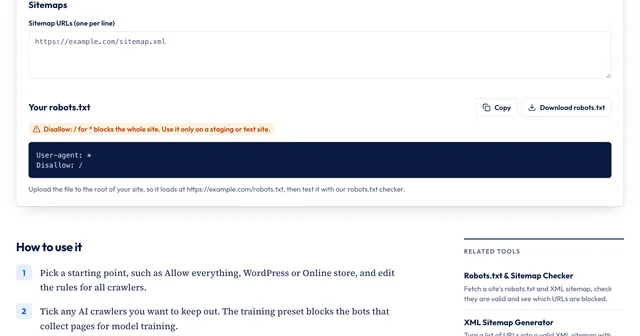
Our free Robots.txt Generator has an AI crawlers section with 12 documented bots, each labeled with its company and purpose (training, search or on request), and a Block AI training crawlers button that ticks the training bots for you.
For llms.txt, use the llms.txt Generator:
- Enter your site or company name and a one- or two-sentence summary.
- Add sections and links to the pages you'd want an AI tool to read first, each with a short note. You can paste a long list at once: bare URLs, "Name | URL | note" lines and Markdown links all work.
- Move lower-priority pages into the Optional section and read the warnings, such as when a list grows past 50 links.
- Copy or download the file, upload it to your site's root, and open
/llms.txtin your browser to confirm it loads.
What the llms.txt Generator doesn't do: it doesn't check that your links work or that robots.txt allows them, it doesn't upload the file for you, and it doesn't create an llms-full.txt file, which isn't part of the original proposal. Run your finished robots.txt through the Robots.txt & Sitemap Checker to confirm what Googlebot and GPTBot may fetch.
Sources
All accessed Nov 20, 2026:
- llms.txt: The /llms.txt file (proposal by Jeremy Howard, Sep 3, 2024; v2 Aug 10, 2026)
- IETF: RFC 9309, Robots Exclusion Protocol (September 2022)
- Google Search Central: Optimizing for generative AI features in Search
- Google Search Central: AI features and your website
- Google Crawling Infrastructure: Google's common crawlers (Google-Extended)
- OpenAI: Overview of OpenAI crawlers
- Anthropic: Does Anthropic crawl data from the web, and how can site owners block the crawler?
- Perplexity: Perplexity crawlers
- Apple Support: About Applebot
- Meta for Developers: Meta web crawlers
Frequently asked questions
Does blocking GPTBot remove my site from ChatGPT?
No. GPTBot collects pages that may be used to train OpenAI's models. ChatGPT search relies on OAI-SearchBot, and OpenAI says sites that block OAI-SearchBot won't be shown in ChatGPT search answers. You can block GPTBot and allow OAI-SearchBot.
Does Google-Extended keep my pages out of AI Overviews?
No. Google-Extended limits the use of your content for Gemini training and grounding in some of Google's other systems, and Google says it doesn't affect inclusion in Google Search. AI Overviews and AI Mode are part of Search, so the controls are Googlebot rules in robots.txt and the nosnippet, data-nosnippet, max-snippet and noindex settings.
Do I need llms.txt if I already have a sitemap?
No, a sitemap is the more important of the two. A sitemap lists every URL you want search engines to crawl. llms.txt is a short, hand-picked list with notes, and the llmstxt.org proposal says a sitemap isn't a substitute because it covers far more than an AI tool needs. Many sites are fine with only a sitemap.
Can llms.txt and robots.txt contradict each other?
Yes, and robots.txt wins for any crawler that follows it. If robots.txt blocks a bot from a folder, listing pages from that folder in llms.txt doesn't let the bot in. Keep the two consistent by listing only pages that robots.txt allows.
Share
X (opens in a new tab)LinkedIn (opens in a new tab)WhatsApp (opens in a new tab)Akif Qureshi has worked in SEO for more than two years, auditing sites, planning content and tracking how Google updates change real traffic. He started SERP Times to report search changes clearly and to say exactly what site owners should do about them.
Certifications
- Google Analytics (Google)
- Google Ads Search (Google)
- HubSpot
- Digital Vidya
- DSIM
- Internship Studio