
AI SearchGuide
How to Get Your Business Recommended by ChatGPT
ChatGPT and Google's AI pick local businesses from different sources. Here's how to check whether ChatGPT and AI Mode recommend you, a free tool that runs the check for you, and what to fix on Google, Yelp and your website.

By Akif Qureshi
Published 8 min read
On this page
Here's how to get your business recommended by ChatGPT: make sure the sources ChatGPT actually reads, mainly Yelp, your own website and the big review sites in your industry, describe you clearly and match your Google Business Profile, then test the questions your customers ask and track whether you show up.
That last point surprises most business owners. Google's AI features lean heavily on your Google Business Profile, but ChatGPT, as far as anyone has measured, barely uses it. This guide shows how to check where you stand in both, walks through a free tool that runs the check for you, and lists what to fix to raise your local AI visibility.
Key takeaways
Does ChatGPT use your Google Business Profile?
Not directly, as far as the evidence goes. OpenAI's ChatGPT search announcement says it uses "third-party search providers, as well as content provided directly by our partners," and OpenAI has never said it uses Google Business Profile data.
One partner matters a lot for local businesses: Yelp. In July 2026 Yelp agreed to license its reviews, photos and business details to OpenAI, as Axios reported, and Yelp's own August 10 announcement says ChatGPT now surfaces "Yelp's trusted reviews, ratings, photos, and business details," and lets people book tables at thousands of US and Canadian restaurants.
The data backs this up. BrightLocal's study of nearly 2 million AI citations for 1,355 business locations (August 2026) found:
| Source | Google AI Overviews and AI Mode | ChatGPT |
|---|---|---|
| Google Business Profile | The top source: cited for 94% of locations | Not a top source |
| Yelp | A minor source | The top source: 99,281 of 162,966 citations, in about 80% of answers |
| Other top sources | Business websites, directories | TripAdvisor, OpenTable, BBB, Angi |
So "is my Google Business Profile recommended on ChatGPT?" is really two questions: does ChatGPT recommend your business, and does Google's AI use your Business Profile? You need to check both.
Where each AI gets local business information
| AI feature | Main local sources | What you control |
|---|---|---|
| ChatGPT (search) | Yelp, your website, TripAdvisor, OpenTable, BBB, Angi and other web pages | Your Yelp page, your website, your industry listings |
| Google AI Mode and AI Overviews | Google Business Profile, business websites, directories | Your Business Profile, website and reviews |
| Google Maps (Gemini, Ask Maps) | Google's data on 300 million places and reviews from its contributors | Your Business Profile and its reviews |
ChatGPT also works out roughly where the user is. According to OpenAI's help page on searching the web with ChatGPT, it estimates location from the user's IP address (more precisely if they share device location on mobile) and rewrites "restaurants near me" into a search such as "top restaurants San Francisco." A dentist in Austin is competing in "dentist Austin" searches, not everywhere.
How to check if ChatGPT recommends your business
You can do this by hand in about 30 minutes:
- Write five to ten real customer questions. Mix the types people ask: the plain search ("dentist near me"), the best ("best dentist in South Austin"), budget ("affordable teeth cleaning near me"), persona ("kid-friendly dentist near me") and how-to ("how do I find a good emergency dentist nearby").
- Open a Temporary Chat so your own history and memory don't skew the answer. If you're not in your service area, put the city in the question.
- Ask each question two or three times. BrightLocal's local AI visibility study found ChatGPT returned the same businesses only 23% of the time on repeat runs, and named about four businesses per answer.
- Record three things for each answer: whether you're named, your position, and which websites are cited (click the source links).
- Repeat the same questions in Google AI Mode. Compare which sources each one leans on.
- Redo it monthly in a simple spreadsheet, so you see the trend rather than one lucky or unlucky answer.
If your website gets visits from ChatGPT, GA4 now shows them too: look for the AI Assistant channel or chatgpt.com / ai-assistant in the Traffic acquisition report. Our guide to the difference between Search Console and Google Analytics explains how to read those reports.
The free tool: GMB Everywhere's GBP AI Visibility Checker
GMB Everywhere, a Google Business Profile tool from Upwards Company Inc. that isn't affiliated with Google, has a beta GBP AI Visibility Checker that runs these checks for you. You pick your business from Google's list, and it chooses a search topic, turns it into five real questions and asks each one in Google AI Mode and ChatGPT.
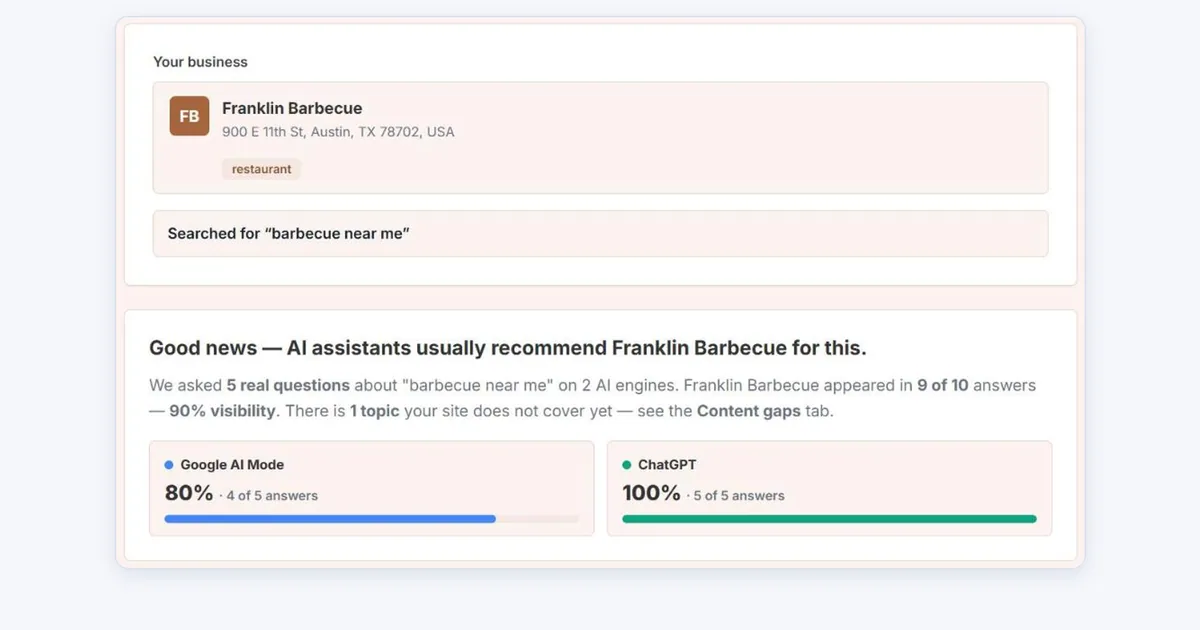
Open the GBP AI Visibility CheckerI tested it on November 3, 2026 with a well-known Austin restaurant, Franklin Barbecue (the report is the screenshot at the top of this article). For "barbecue near me," it asked five questions, from "Is there barbecue near me?" to "Which nearby barbecue spots are good for families?":
- Overall: Franklin Barbecue appeared in 9 of 10 answers (90%): 4 of 5 in Google AI Mode and 5 of 5 in ChatGPT, with its position in each answer.
- Other competitors mentioned: the seven businesses named instead of or alongside it, such as la Barbecue and Micklethwait Craft Meats, split by engine.
- Top referrals: the websites the answers cited as sources, which shows where to get listed.
- Content gaps: questions where it was missed. Here, the budget question ("affordable barbecue close by") was missed in AI Mode, and the tool suggested publishing price ranges on the website.
Three things to keep in mind:
- It searches from your own address. Several answers began by telling the "user" they were standing at Franklin Barbecue, which flatters "near me" results. Treat a high score as a ceiling, and run the manual check from elsewhere in your city too.
- It's a beta. One AI Mode answer drifted to a different region entirely, and the referrals tab said the website was never cited even though one ChatGPT answer linked to it. Read the full answers before acting on a number.
- You need an account. GMB Everywhere describes its tools as "free to start"; you sign up to use the checker.
How to increase your Google Business Profile's AI visibility
For Google AI Mode, AI Overviews and Google Maps, your Business Profile is the main source. Google's own guide to optimizing for AI features says Business Profiles can help your products and services appear in AI responses, and that you don't need special AI files or markup.
Google says local results depend mainly on relevance, distance and prominence. Here's what moves each:
- Get the categories right. Your primary category is the strongest relevance signal. Add secondary categories for every service you really offer.
- Fill in every field: services with descriptions, attributes, hours, a business description in plain language, and your website. AI answers quote this detail.
- Keep hours current, including holiday hours for Thanksgiving (November 26) and Christmas. Wrong hours are a fast way to lose a recommendation.
- Add real photos of your storefront, team and work, and keep adding them.
- Earn reviews steadily and reply to them. Google's review summaries and Ask Maps draw on what customers write, so reviews that mention specific services help. Never buy or fake reviews: the FTC's rule on consumer reviews has banned fake and bought reviews since October 21, 2024, with civil penalties for knowing violations.
- Match your website. Use the same name, address, phone number and hours on your site as on your profile.
How to get recommended by ChatGPT
ChatGPT needs a different checklist, because it reads the open web and its partners:
- Claim and complete your free Yelp Business Page. It's ChatGPT's biggest local source. Add hours, services, photos and a description that matches your Business Profile. Don't ask customers for Yelp reviews, though: Yelp's rules ban it and hide solicited reviews. You can tell customers to "find us on Yelp."
- Make your website answer the questions. BrightLocal found business websites made up 42% of the citations in its local AI study. Give each service its own page, publish prices or price ranges, list the areas you serve, and answer common questions in plain language.
- Let OpenAI's crawler in. OpenAI says sites must allow OAI-SearchBot to appear in ChatGPT search results. Our robots.txt checker shows whether yours blocks it.
- Get listed where your industry gets cited: TripAdvisor and OpenTable or Resy for restaurants, BBB and Angi for home services, and the main directories for your trade.
- Claim your free Bing Places and Apple Business listings. OpenAI doesn't name its search providers, but its help page links to Microsoft's privacy terms, and both listings cost nothing.
- Earn genuine mentions. Local news coverage, chamber of commerce listings and "best of" lists give ChatGPT more independent sources to cite. Google itself warns that chasing inauthentic mentions "isn't as helpful as it might seem."
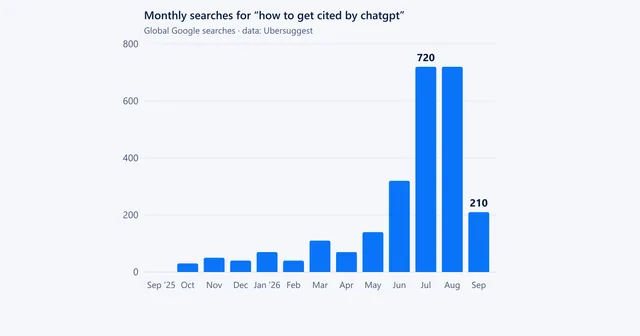
For the content side, our guide on how to get cited by ChatGPT covers what makes a page easy for AI to quote.
What you can't control
AI recommendations are less stable than a Google Maps ranking. In BrightLocal's study, a business it tracked was mentioned in 33% of ChatGPT answers versus 66% of Google Maps results, about 10% of ChatGPT answers named no businesses at all, and results changed across different points in the same town. ChatGPT's picks also overlapped with Google's AI only about 20% of the time.
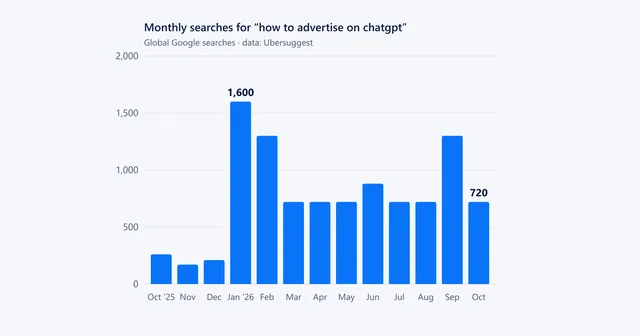
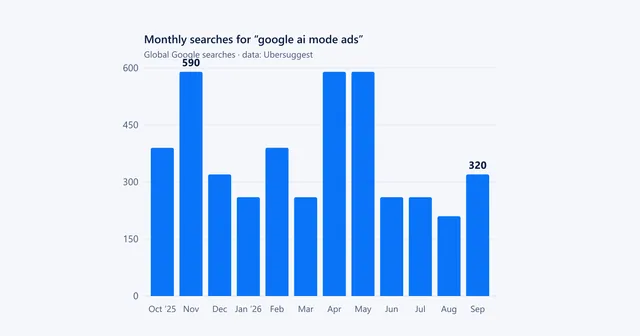
So don't chase a single answer. Fix the sources, check the same questions every month, and judge yourself on the trend. If you'd rather pay for visibility, both ChatGPT ads and Google AI Mode ads are open to US businesses.
Frequently asked questions
Does ChatGPT use my Google Business Profile?
Not much, as far as anyone can measure. OpenAI hasn't said where ChatGPT gets local business data beyond third-party search providers and partners such as Yelp, and BrightLocal's 2026 study found Google Business Profile isn't a top source for ChatGPT, while Yelp appeared in about 80% of its local answers. Your Business Profile matters most for Google's own AI: AI Mode, AI Overviews and Google Maps.
How do I check if ChatGPT recommends my business?
Ask ChatGPT five to ten questions a real customer would ask, such as 'best dentist near me for kids,' from your city or with your city in the prompt, in a Temporary Chat so your history doesn't skew it. Run each question two or three times, note whether you're named and which sites are cited, and repeat in Google AI Mode. A free tool such as GMB Everywhere's GBP AI Visibility Checker automates this.
Is the GMB Everywhere AI visibility checker free?
GMB Everywhere describes its tools as free to start, and you need a GMB Everywhere account to run the checker. It's labeled beta, and it checks Google AI Mode and ChatGPT for one business and one search topic per run.
How long does it take to show up in ChatGPT?
There's no set timeline, because ChatGPT pulls fresh information from the web and partner sites when it answers. Changes to your website, Yelp page or other listings can show up once those pages are recrawled, but answers vary from run to run, so measure your visibility monthly rather than judging one answer.
Share
X (opens in a new tab)LinkedIn (opens in a new tab)WhatsApp (opens in a new tab)Akif Qureshi has worked in SEO for more than two years, auditing sites, planning content and tracking how Google updates change real traffic. He started SERP Times to report search changes clearly and to say exactly what site owners should do about them.
Certifications
- Google Analytics (Google)
- Google Ads Search (Google)
- HubSpot
- Digital Vidya
- DSIM
- Internship Studio