SEOGuide
Meta Tags for SEO: Which Ones Google Actually Uses
Only a handful of head tags change anything in Google. Here's each one Google supports, what it does, the tags it ignores, and a copy-ready template for a typical page.

By Akif Qureshi
Published 7 min read
On this page
Only a few meta tags for SEO change anything in Google: the meta description, the robots tag and the viewport tag, along with the title element and the canonical link, which sit in the same <head> section. Google ignores the meta keywords tag completely.
Most other tags you'll see in a page's head are for browsers, social networks or other tools, and Google simply skips them. This guide goes through each tag Google says it supports, what it does, which popular tags it ignores, and a template you can copy. For everything else on the page (headings, content, links, images), see our on-page SEO checklist.
Key takeaways
The head tags that matter
Here's every tag worth having in a normal page's head, in order of how much it affects Google Search:
| Tag | What it does | Needed on every page? |
|---|---|---|
<title> | The main source of your result's title link | Yes |
<link rel="canonical"> | Says which URL is the main version of the page | Yes, pointing to itself on the main version |
<meta name="robots"> | Keeps a page out of search, or limits snippets and previews | Only when you change the default |
<meta name="description"> | A suggested summary for the search snippet | Yes |
<meta name="viewport"> | Makes the page render properly on phones | Yes |
<meta charset="utf-8"> | Tells browsers how to read the page's text | Yes |
og: and twitter: tags | Control the card shown when the page is shared | Recommended, not for rankings |
Two of these, the title and the canonical link, aren't <meta> tags at all. They're still part of the same head, and every SEO tool lists them with the meta tags, so we do too.
Title element
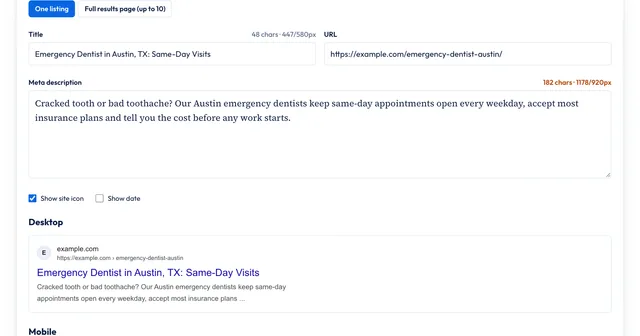
The title is the strongest hint Google has for the title link in search results, and it's the first thing searchers read about your page. Write a unique, accurate title for every page, with the main topic first.
Google's title link documentation sets no length limit, but long titles get cut off. Our guide to meta title length shows how to make one fit.
Meta description
<meta name="description" content="Family dentist in South Austin: cleanings, fillings and Invisalign. Most PPO plans accepted, with evening and Saturday hours.">Google says it doesn't use the description for ranking, and it writes its own snippet from the page text much of the time. A good description still earns clicks for the searches where Google shows it. Our guide to meta description length covers length and the rewrite data.
Robots meta tag
The robots tag tells search engines whether to index a page and what they may show. With no robots tag, Google may index the page and follow its links, so you don't need index, follow. Add the tag only to change something:
| Rule | What it does |
|---|---|
noindex | Keeps the page out of search results |
nofollow | Asks Google not to follow the links on the page |
nosnippet | Shows no text snippet or video preview |
max-snippet:[number] | Caps the text snippet at that many characters |
max-image-preview:large | Allows large image previews, which Google Discover needs for big images |
unavailable_after:[date] | Drops the page from results after that date |
Source: Google's robots meta tag specifications, accessed Nov 20, 2026.
Three details catch people out:
- Use
name="googlebot"to give a rule to Google only. If the two tags conflict, the more restrictive rule wins. - Don't block the page in robots.txt. If Google can't crawl the page, it never sees the
noindex, and the URL can still be indexed from links. - Use the
X-Robots-TagHTTP header for PDFs and other files that have no HTML head.
Canonical link
<link rel="canonical" href="https://example.com/teeth-whitening-austin/">The canonical link tells Google which URL is the main version when the same content is reachable at several addresses, such as with tracking parameters or filters. Google's canonicalization guide calls it a strong signal, not a command, so Google can still pick a different URL.
Use an absolute URL, keep it in the head, and add a self-referencing canonical on the main page too. Google also lists using noindex to handle duplicates as a mistake: canonicals and redirects are the right tools.
Viewport and charset
<meta charset="utf-8">
<meta name="viewport" content="width=device-width, initial-scale=1">
Google's list of supported meta tags says the viewport tag tells it the page is mobile-friendly. The charset sets the text encoding, and Google recommends UTF-8. Most themes and frameworks add both for you, so check that they're present rather than adding them twice.
Other tags Google supports
Google's documentation lists a few more tags for specific jobs:
google-site-verificationproves you own the site in Search Console. It's the one tag where letter case matters: the name and content must match exactly.notranslate(as<meta name="googlebot" content="notranslate">) stops Google offering a translation of your result.nopagereadaloud(as<meta name="google" content="nopagereadaloud">) stops Google's text-to-speech services reading the page.ratingwith the valueadultlabels sexually explicit pages so SafeSearch can filter them.refreshredirects after a delay. Google supports it but recommends a server-side 301 redirect instead.
Tags Google ignores
Many older guides still recommend tags that do nothing in Google today. Per Google's own documentation:
| Tag or attribute | Status in Google |
|---|---|
<meta name="keywords"> | Not used for indexing or ranking. Google said so in 2009 and still does. |
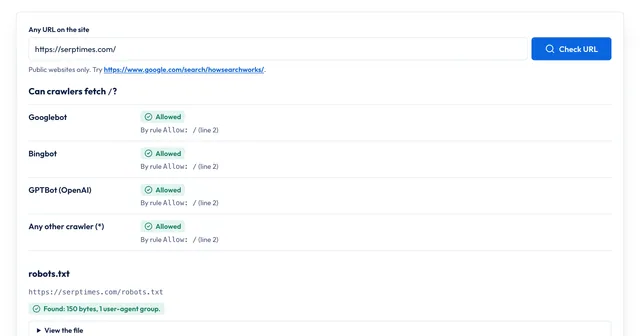
lang attribute | Not used. Google detects a page's language from its text. Keep it anyway for screen readers and browsers. |
rel="next" and rel="prev" | No longer used for indexing. |
nositelinkssearchbox | No longer used, because Google dropped the sitelinks search box. |
Google says it ignores tags it doesn't support, so leaving them in place is harmless. Just don't spend time on them.
Social tags: Open Graph and X cards
Open Graph tags (og:title, og:description, og:image, og:url) and X's twitter:card control the card that appears when someone shares your link. They aren't a ranking factor. Google does read two of them, though: its title link documentation lists og:title as one of the sources for title links, and its site name documentation lists og:site_name as one of the signals for your site name. Our guide to OG tags covers sizes and platforms.
A head template for a typical page
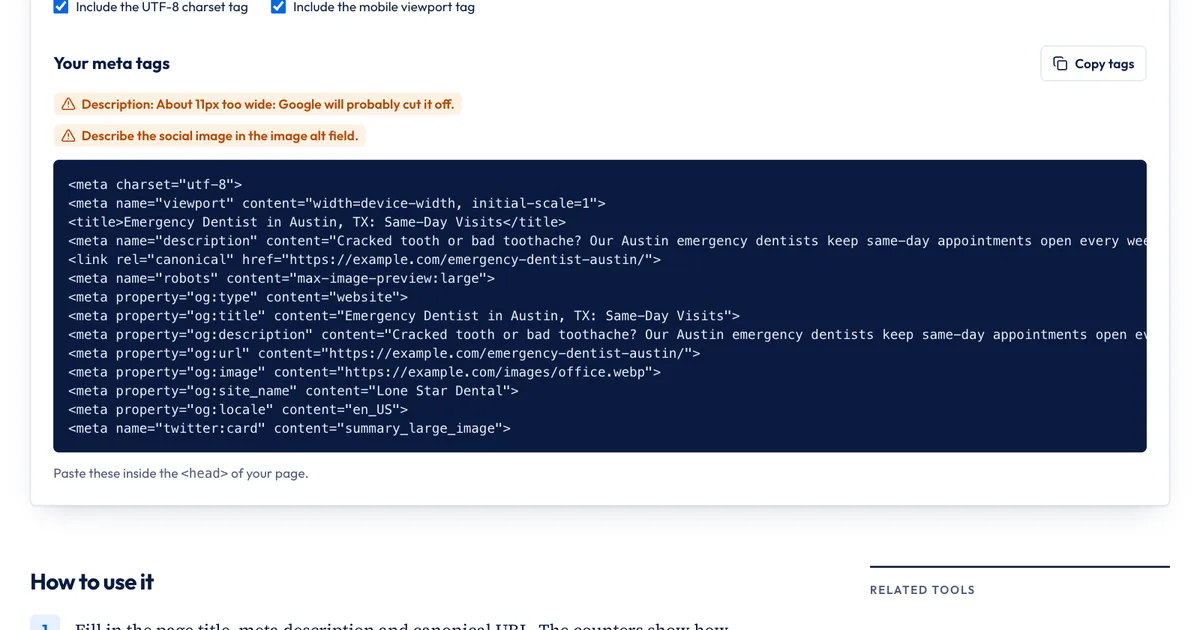
Here's a complete set for an article page of a fictional Austin dental practice. Replace the values and drop what you don't need:
<meta charset="utf-8">
<meta name="viewport" content="width=device-width, initial-scale=1">
<title>Teeth Whitening in Austin, TX: Cost, Options and Results</title>
<meta name="description" content="What teeth whitening costs in Austin, how in-office and take-home options compare, and how long results last, from a South Austin family dentist.">
<link rel="canonical" href="https://example.com/teeth-whitening-austin/">
<meta name="robots" content="max-image-preview:large">
<meta property="og:type" content="article">
<meta property="og:title" content="Teeth Whitening in Austin, TX: Cost, Options and Results">
<meta property="og:description" content="What whitening costs in Austin and how the options compare.">
<meta property="og:url" content="https://example.com/teeth-whitening-austin/">
<meta property="og:image" content="https://example.com/images/whitening.jpg">
<meta property="og:site_name" content="Example Dental">
<meta name="twitter:card" content="summary_large_image">
If you use WordPress, Shopify or a similar platform, you set most of these in your SEO plugin or the page's search settings rather than in the HTML. In Next.js and similar frameworks, use the built-in metadata feature.
Generate your tags with our free tool
Our Meta Tag Generator builds the same set of tags from one form, in your browser:
- Fill in the page title, meta description and canonical URL. The counters warn you when the title or description is likely to be cut off.
- Leave "Allow indexing" and "Allow following links" on unless the page should stay out of search. "Allow large image previews (recommended)" is on by default and adds
max-image-preview:large. - Add the social image, its alt text, the site name and your X accounts. Blank social fields reuse the title, description and URL above.
- Copy the tags into your page's head, then check the live page.
It skips tags that do nothing: there's no keywords field, and it adds a robots tag only when you change a default. It doesn't write structured data (use the Schema Generator for that), and it can't see what your CMS already outputs. After you publish, run the page through the On-Page SEO Checker or URL Inspection in Search Console to confirm the tags appear once and say what you meant.
Sources
- Meta tags and attributes that Google supports, Google Search Central, accessed Nov 20, 2026
- Robots meta tag, data-nosnippet, and X-Robots-Tag specifications, Google Search Central, accessed Nov 20, 2026
- How to specify a canonical URL with rel="canonical" and other methods, Google Search Central, accessed Nov 20, 2026
- Influencing your title links in search results, Google Search Central, accessed Nov 20, 2026
- Google Discover and your website, Google Search Central, accessed Nov 20, 2026
- Provide a site name to Google Search, Google Search Central, accessed Nov 20, 2026
- HTML Standard: specifying the document's character encoding, WHATWG, accessed Nov 20, 2026
- Google does not use the keywords meta tag in web ranking, Google Search Central Blog, September 21, 2009, accessed Nov 20, 2026
Frequently asked questions
How do I see a page's meta tags?
Right-click the page and choose View Page Source, then search for <meta or <title. That shows the HTML your server sent. If the site adds tags with JavaScript, use URL Inspection in Search Console to see the rendered HTML Google indexed, or run the URL through an on-page checker.
How many meta tags should a page have?
There's no target number. A typical page needs a charset, a viewport, a title, a description and a canonical link, plus Open Graph tags for sharing. Add a robots tag only when you want to change the default behavior.
Does the order of meta tags matter?
Mostly no. The exception is the charset tag: the HTML standard requires the character encoding to be declared within the first 1,024 bytes of the page, so put it first in the head. Google also says the head must be valid HTML, so a stray element in the head can stop it from reading the tags after it.
Do meta tags matter for Google's AI Overviews and AI Mode?
The same ones do. Google says there are no extra requirements for its AI features: a page must be indexed and eligible for a snippet. To limit what appears there, Google points to the same controls as for search: nosnippet, data-nosnippet, max-snippet and noindex.
Share
X (opens in a new tab)LinkedIn (opens in a new tab)WhatsApp (opens in a new tab)Akif Qureshi has worked in SEO for more than two years, auditing sites, planning content and tracking how Google updates change real traffic. He started SERP Times to report search changes clearly and to say exactly what site owners should do about them.
Certifications
- Google Analytics (Google)
- Google Ads Search (Google)
- HubSpot
- Digital Vidya
- DSIM
- Internship Studio